It runs on your Mac
Your accounts, lists and settings are kept on your own computer. There is no Yew HQ account with your data in it.
Your work, your week and your money. One screen.
Yew HQ is your own private headquarters. Your to-do list, calendar and finances sit together, on your own Mac, in a place that is easy to read at a glance.
What’s inside
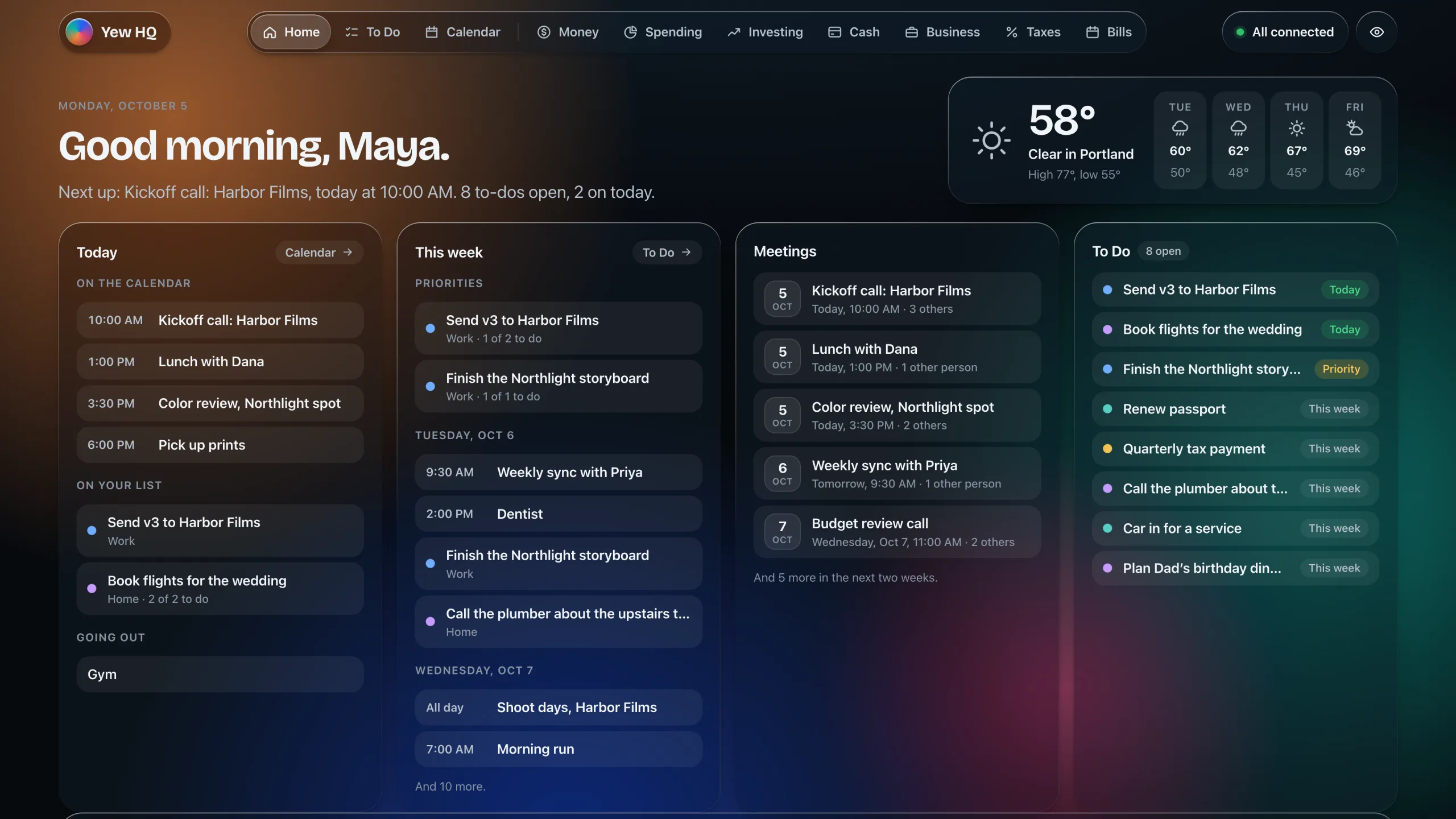
Yew HQ replaces the paper list, the calendar tab, the bank tabs and the spreadsheet. You choose which parts you want, and it opens on the day ahead.
One page with today, the rest of the week, the meetings coming up and everything still on your list.
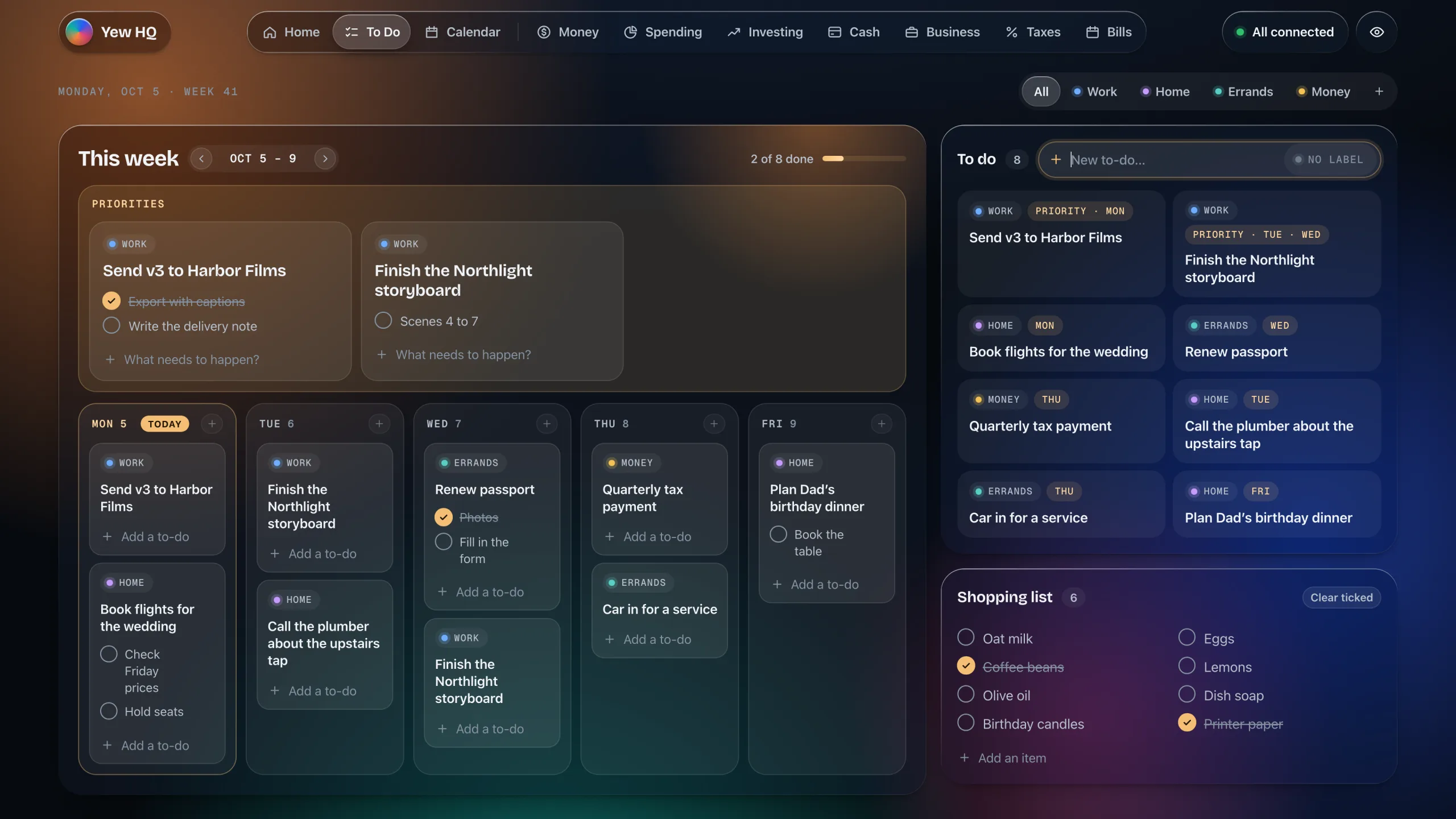
Priorities across the top, five days underneath, and everything on your list beside them. Drag a to-do onto a day and it stays on your list too.
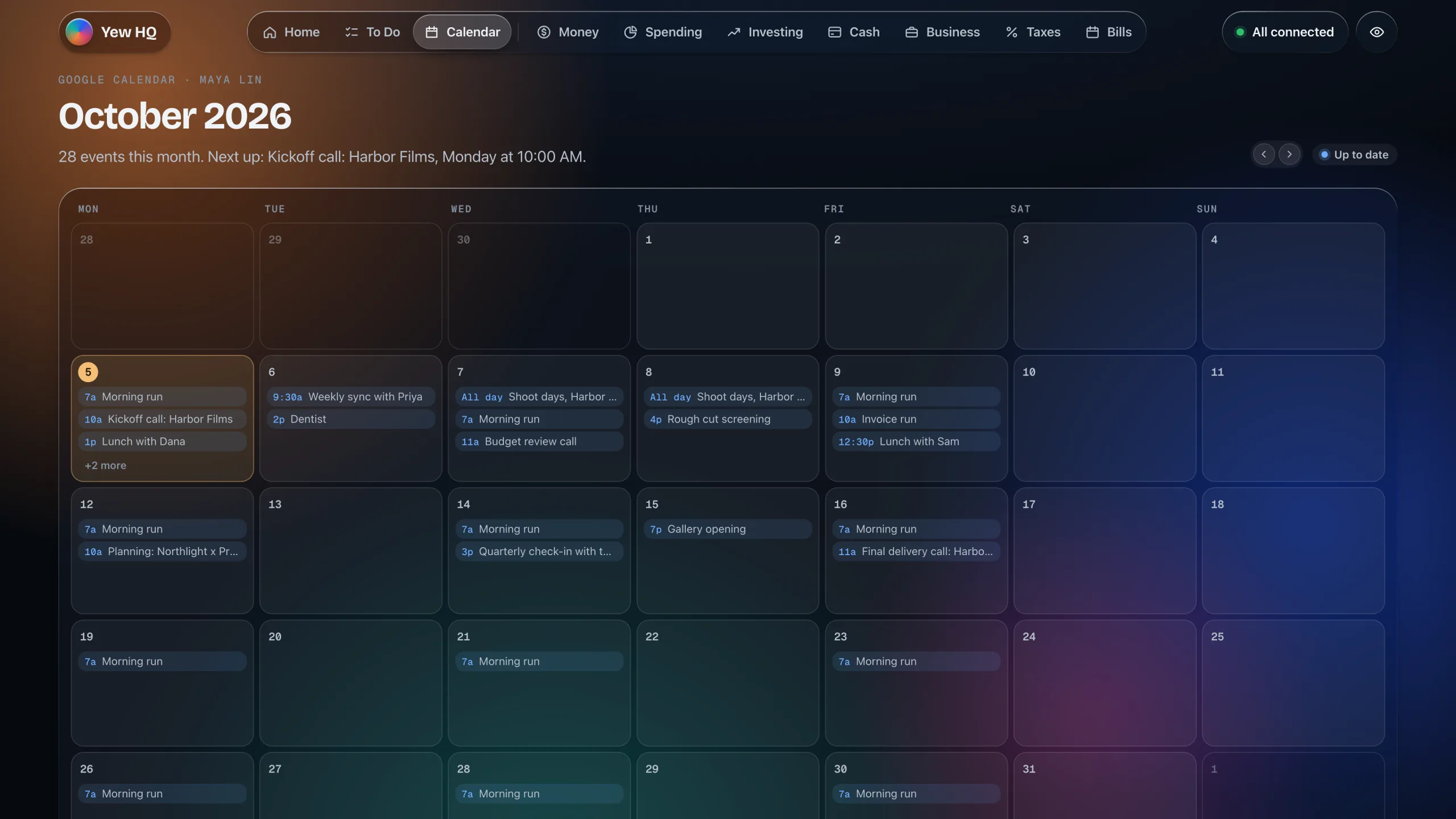
A whole month from Google Calendar on one screen, kept up to date by itself.
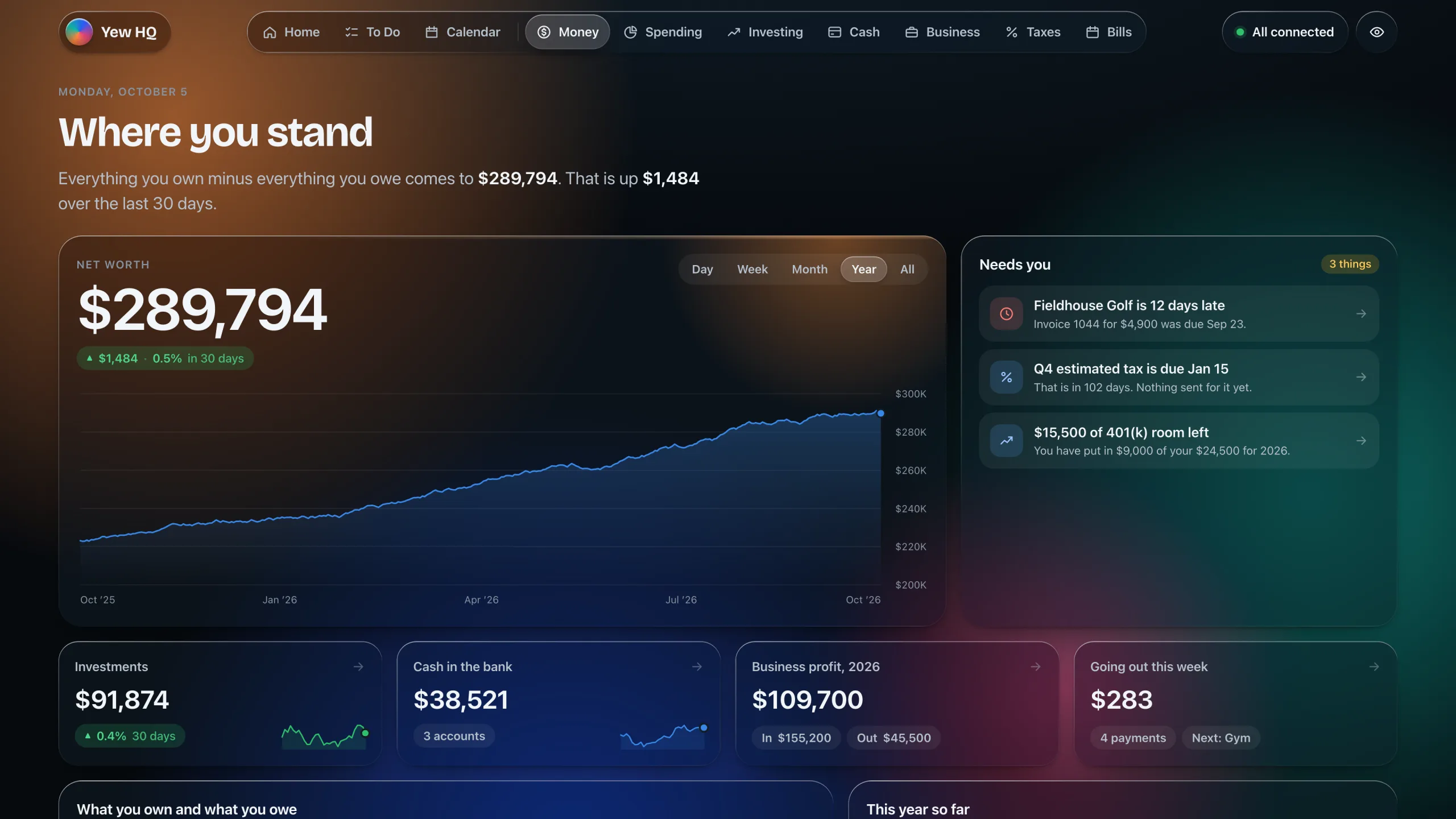
Banks, cards, investments and loans in one place, for your personal money and your business.
Your calendar, to-do list and money already live together in Yew HQ, so it is the one place an assistant needs to look. You keep asking in Claude’s desktop app, the way you already do.
What’s on today?Audit my spending this monthAm I set for my next tax payment?What did software cost me this year?
In Claude’s desktop app
Go through my subscriptions. Anything I could cut?
You have 16 regular subscriptions, about $486 a month. Three stand out:
Two video services you pay for separately. A design tool that went up $32 in September. A storage plan you also get with another service.
Dropping those would save about $64 a month.
BillsCash
Add “Trim subscriptions” to my list for Friday.
Done. Trim subscriptions is on your list for Friday.
To Do
Private by design
Yew HQ is an app on your computer, not a website holding your finances. That is the whole idea.
Your accounts, lists and settings are kept on your own computer. There is no Yew HQ account with your data in it.
Bank connections are read-only and go through Plaid. You sign in on your bank’s own page, and nothing in Yew HQ can move money.
It opens like any app on your Mac. No password to remember, and no website with your finances on it.
A first small group is getting it before anyone else. If you were sent a code, this is where it goes.
Download Yew HQ for your Mac. The first setup takes a little while, and then it looks after itself.
Download for MacFor Macs with Apple silicon, macOS 13 or later.